In today’s fast paced work environment, keeping employees skilled and adaptable is essential. That’s why many organizations rely on employee training software to streamline learning, automate training processes, and deliver engaging courses anytime, anywhere.
These platforms make it easier to onboard new hires, upskill existing teams, and track learning progress in one centralized system.
To help you find the right solution, this guide explores the key features, benefits, and top employee training software options to consider in 2025.
What Is Employee Training Software?
Employee training software is a digital platform that helps organizations create, deliver, and manage training programs more efficiently.
It allows HR and L&D teams to organize learning content, track employee progress, and ensure consistent training across the company.
With features like interactive modules, quizzes, and analytics, this software makes learning more flexible, accessible, and data driven, whether for onboarding, compliance, or upskilling.
Key Features of Employee Training Software
A great employee training software comes with a set of features designed to simplify the learning process, increase employee engagement, and help organizations track development more effectively.
Here are the main features that are typically standard in modern training platforms:
1. Course Creation & Content Management
Employee training software should make it easy for HR and L&D teams to build, organize, and distribute training materials. With intuitive content management tools, organizations can develop customized courses that align with business goals and employee skill requirements.
2. Progress Tracking & Analytics
Real time tracking and in depth analytics allow companies to monitor course completion, learner performance, and overall training effectiveness. These insights help teams identify skill gaps and continuously improve the training strategy.
3. Personalized Learning Paths
The best employee training software offers personalized learning paths, often supported by AI based recommendations. This ensures employees receive content tailored to their roles, interests, and development needs, boosting both engagement and knowledge retention.
4. Gamification & Social Learning
Features such as badges, points, leaderboards, discussion forums, and peer collaboration make learning more interactive.
Gamification encourages participation, while social learning builds a collaborative learning culture within the organization.
5. Automation & Mobile Access
Automated reminders, certifications, and mobile friendly access ensure that training runs smoothly without constant manual follow up.
Employees can learn anytime and anywhere, making the platform ideal for hybrid and remote workplaces.
Benefits of Employee Training Software
Implementing employee training software provides significant advantages for organizations looking to strengthen their learning and development (L&D) strategies.
Here are some of the key benefits that companies can gain:
1. Enhanced Employee Development
Employee training software helps HR and L&D teams organize, deliver, and monitor learning programs in a more structured and centralized way.
This approach encourages continuous learning and allows employees to build skills that keep them competitive and adaptable as business needs evolve.
2. Increased Training Efficiency
Traditional training methods often demand a lot of time, coordination, and resources. With employee training software, companies can automate content delivery, track employee progress, and analyze performance data.
This leads to more efficient training activities and measurable improvements in learning outcomes.
3. Consistent Learning Experience
A major benefit of using a digital training platform is the ability to offer standardized training across all levels and departments.
Every employee receives access to the same high quality materials, ensuring equal learning opportunities and consistent knowledge throughout the organization.
4. Scalability for Growing Teams
As companies grow, managing training manually becomes increasingly difficult.
Employee training software makes it easy to scale onboarding, compliance training, and advanced skill development without sacrificing quality, engagement, or control.
5. Higher Employee Engagement
Modern platforms often include interactive formats such as videos, quizzes, gamification, and collaborative tools.
These features make learning more engaging and enjoyable, resulting in higher participation rates and better information retention.
How to Choose Employee Training Software
Selecting the right employee training software is essential to ensure your learning initiatives run smoothly and deliver measurable results. Here are the key steps to help you choose the best solution:
1. Identify Your Training Needs
Start by defining the goals of your training program. Identify skill gaps, determine preferred learning styles, and collect feedback from employees.
Understanding your needs upfront helps you select employee training software that truly supports learning outcomes and long-term development.
2. Check Integration and Compatibility
Choose a platform that integrates well with your existing HRIS, LMS, or other internal tools. Strong integration ensures smooth data flow, better reporting, and a more connected learning environment.
Look for software with API access or built in integrations with popular business systems.
3. Evaluate Key Features
Create a list of must-have features based on your training objectives. For example, if boosting engagement is a priority, consider platforms with interactive modules, gamification elements, or social learning capabilities.
Focus on features that enhance the learner experience and align with your business goals.
4. Book a Demo and Compare Pricing
Before making a final decision, schedule a demo to explore the platform’s interface, usability, and customization options.
Ask about pricing models, whether subscription-based, per user, or tiered, and clarify any additional costs.
Comparing multiple options ensures you choose employee training software that provides the best value for your investment.
12 Best Employee Training Software for 2025
With so many platforms available today, choosing the right employee training software can be challenging. To make your search easier, here are the 12 best training software options for 2025, complete with their pros, cons, and key features:
1. LinovHR
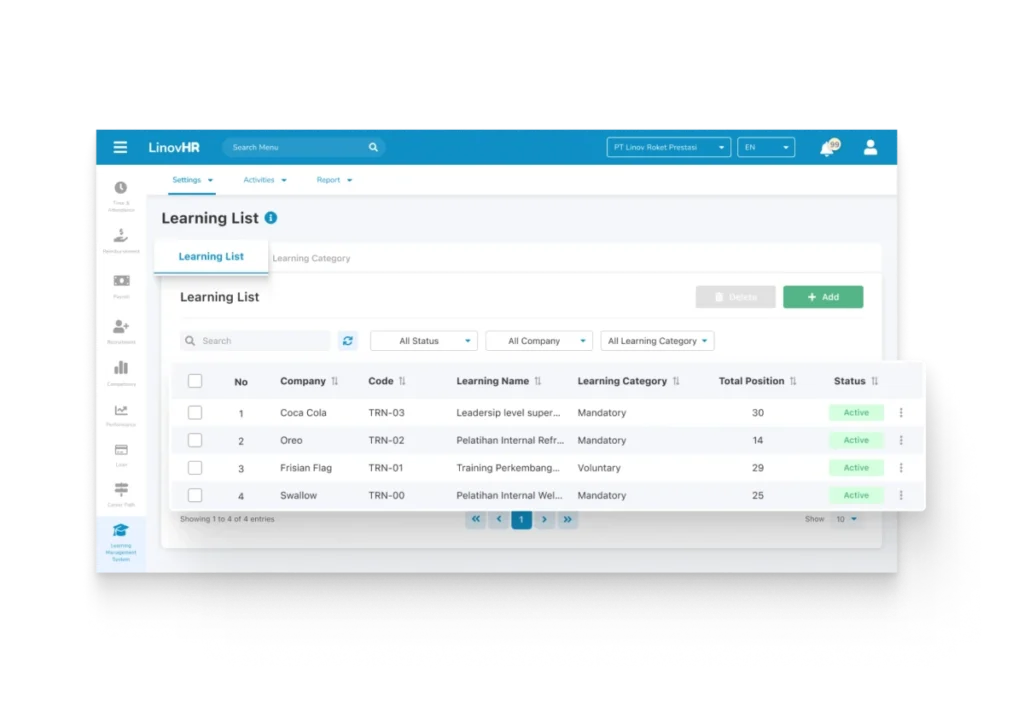
LinovHR stands out as one of the most complete and robust employee training software solutions designed to digitalize and streamline corporate learning.
Through its powerful Learning Management System (LMS), the platform helps organizations plan, manage, and evaluate training programs, from onboarding new hires to upskilling existing employees.
With both web and mobile access, employees can learn anytime and anywhere, ensuring flexibility across different working environments.
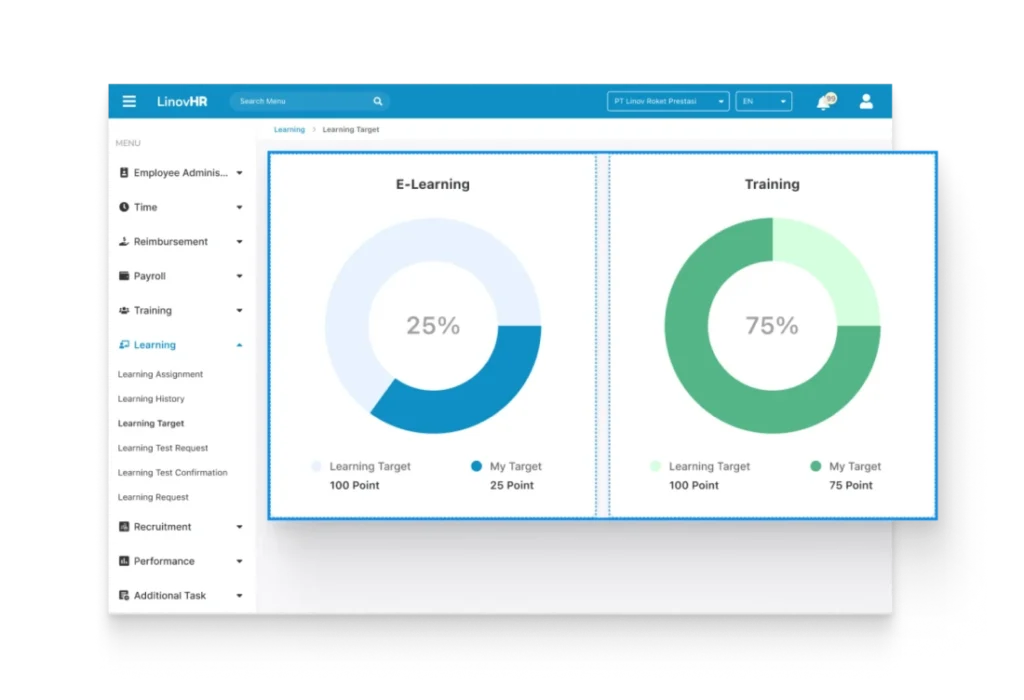
The system also offers advanced analytics, automatic e-certificates, and blended learning options to support diverse learning needs.
Companies can create customized learning paths that align with employee roles and development goals, making every training initiative structured, measurable, and impactful.
Key Features
- Custom Training Topics & Courses: Build organized training materials, assign instructors (internal or external), and tailor content for specific groups.
- Learning Plan Management: Schedule training sessions, upload multimedia files (PDF, PPT, videos), and track attendance with QR codes.
- Smart Progress Tracking: Monitor completion rates, test results, and attendance in real time, supported by automated reminders.
- E-Learning Access: Employees can complete courses anytime through mobile or web, track progress, and access downloadable learning resources.
- Employee Initiated Learning: Empower employees to propose training or request additional learning through Aspiration Course and Suggest Course features.
- Automatic Certification: Instantly generate digital certificates upon course completion for streamlined documentation.
- Detailed Reporting & Analytics: Gain insight into training effectiveness through comprehensive data dashboards.
- Blended Learning Support: Combine online and offline training formats to enhance flexibility and reach.
- Centralized Training Repository: Store all learning materials in one structured and searchable database.
Pros & Cons
| Pros | Cons |
| • Comprehensive and user-friendly interface for both HR teams and employees • Supports blended learning (online + offline) • Automatically generates e-certificates • Advanced tracking tools to monitor progress and performance • Allows employees to request or suggest new training topics • Provides rich reporting and analytics for deeper evaluation | • Primarily focused on the Indonesian corporate market • Feature-rich system may require initial training for new admins |
2. TalentLMS
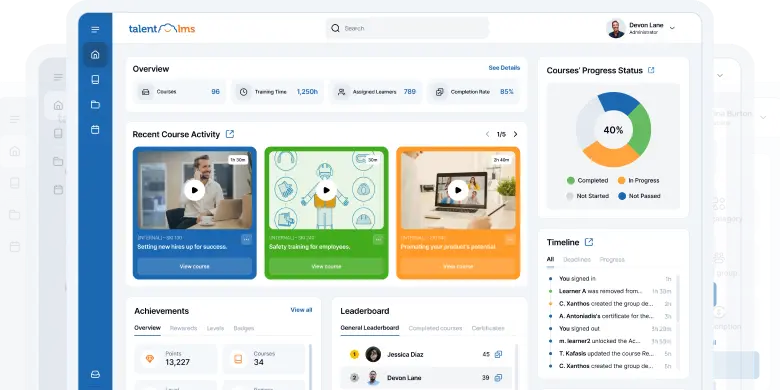
TalentLMS is a cloud based employee training software that helps organizations easily create, deliver, and manage online learning programs.
Its AI powered features and intuitive interface make it suitable for businesses of all sizes.
With automated workflows, gamification, and seamless HR integrations, TalentLMS offers an engaging and scalable training experience.
Key Features
- AI driven course creation and multilingual translation
- Gamification with badges, points, and leaderboards
- Automated course management with advanced reporting
Pros & Cons
| Pros | Cons |
| • User friendly design for admins and learners • Strong AI support for content creation and personalization • Scalable for small to large organizations | • Advanced tools locked behind higher tier plans • Custom branding may require additional cost • Some features have a steeper learning curve |
3. LearnWorlds
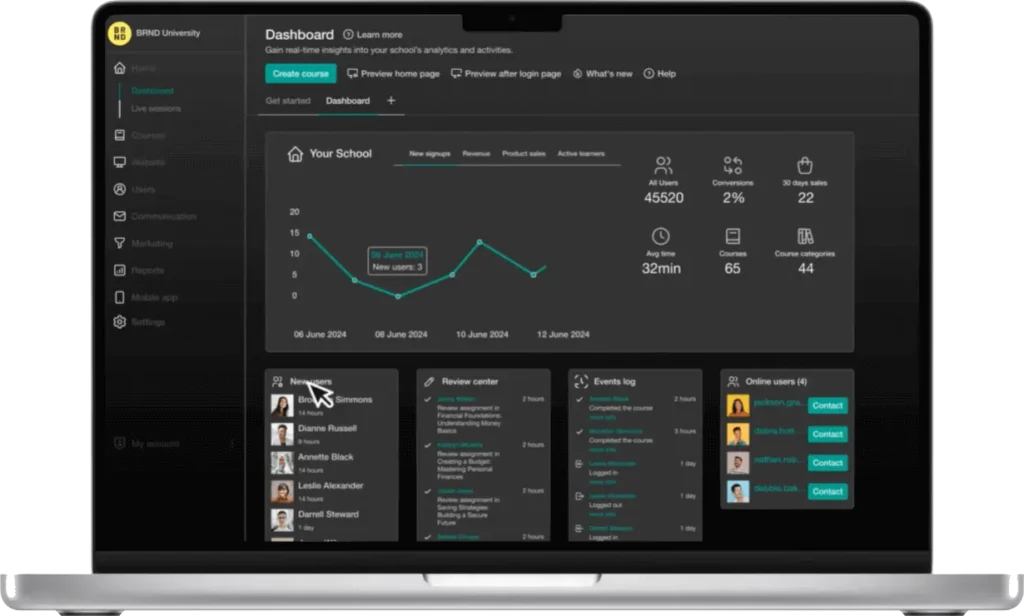
LearnWorlds is a flexible cloud-based employee training software that helps organizations create, deliver, and monetize online training programs.
Known for its interactive learning tools, customizable design, and e-commerce capabilities, it’s suitable for both internal employee development and external course sales.
AI powered features and built in analytics make it easy to deliver personalized and data-driven learning.
Key Features
- Interactive course creation with quizzes and multimedia
- Built in e-commerce tools for selling courses
- AI assisted content creation with detailed analytics
Pros & Cons
| Pros | Cons |
| • Engaging interactive video learning • Strong customization and branding options • Supports course monetization | • Some advanced features locked behind higher tier plans • Less intuitive for first time admins • Limited built in marketing automation |
4. Absorb LMS
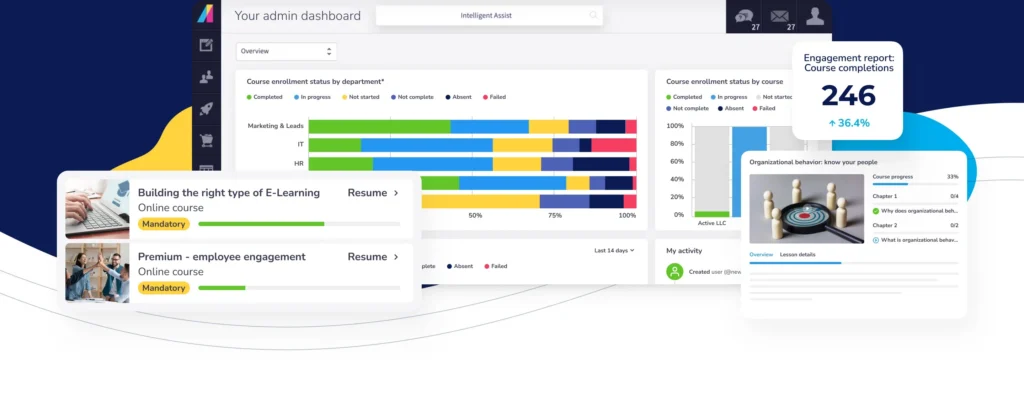
Absorb LMS is a cloud based employee training software built to help organizations easily create, deliver, and manage a wide range of learning programs.
Its scalable architecture and intuitive interface make it suitable for everything from onboarding and compliance training to partner and customer education.
Key Features
- Course Creation & Management
- Automation & User Management
- Mobile Learning
Pros & Cons
| Pros | Cons |
| • User friendly interface with powerful admin and automation tools • Excellent mobile learning support, including offline access • Strong integrations with Zoom, Microsoft Teams, Salesforce, and HRIS platforms | • Feature rich system may feel overwhelming for new admins • Advanced reporting and customization often require add-ons • Limited focus on social or community-driven learning |
5. Moodle
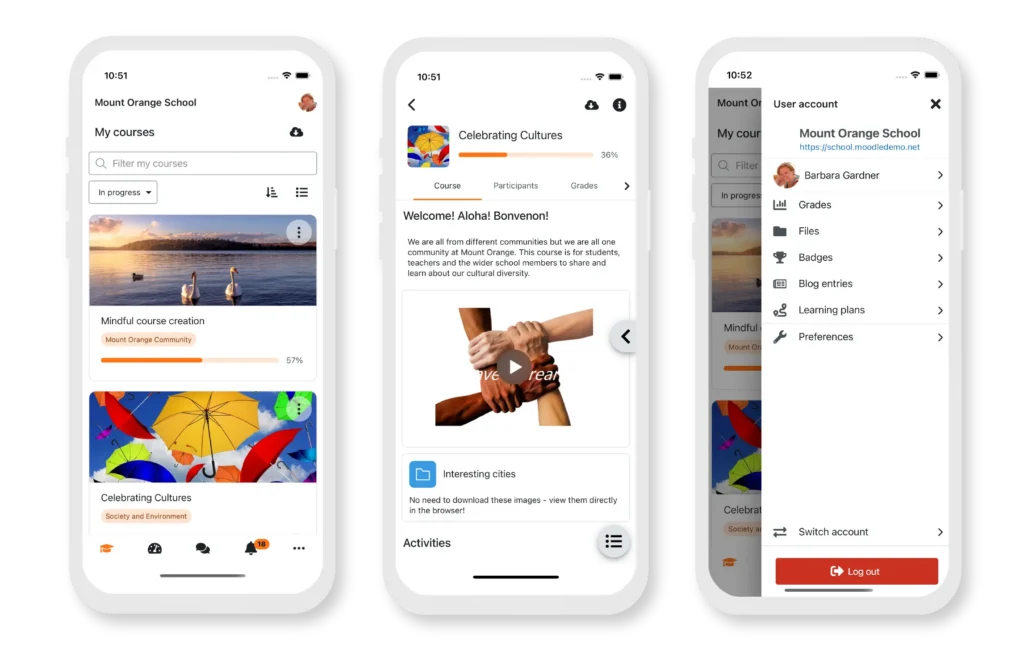
Moodle is a widely used open source employee training software designed to help organizations create, manage, and deliver structured online learning programs.
Known for its flexibility and scalability, it serves both small businesses and large enterprises effectively.
Key Features
- Flexible course creation and management tools for multiple training formats
- Built-in assessments, progress tracking, and detailed analytics
- Mobile learning access through the Moodle app
Pros & Cons
| Pros | Cons |
| • Fully customizable and cost effective open source platform • Scalable for organizations of all sizes • Supported by a large global community with frequent updates | • Requires technical expertise for setup and maintenance • Interface can feel complex for new users • Deep customization often needs additional development resources |
6. 360Learning
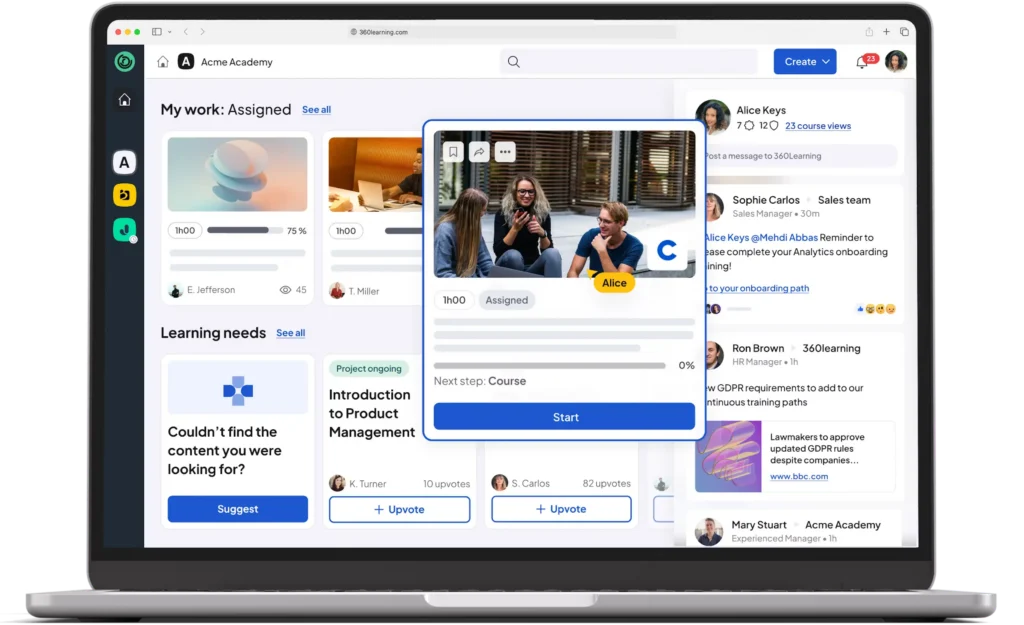
360Learning is an AI driven employee training software that enables organizations to build, share, and manage learning programs through teamwork and peer engagement.
Focusing heavily on user-generated content, it allows employees to contribute directly to training materials, fostering a collaborative learning culture.
Key Features
- Collaborative course authoring with peer feedback and discussion forums
- AI assisted course creation with personalized learning paths
- Gamification tools and mobile learning access
Pros & Cons
| Pros | Cons |
| • Encourages collaborative, peer to peer learning • AI powered tools for creation, translation, and recommendations • Strong analytics and compliance tracking | • Limited branding and interface customization • Less suitable for top down training structures • Higher pricing compared to some alternatives |
7. Docebo
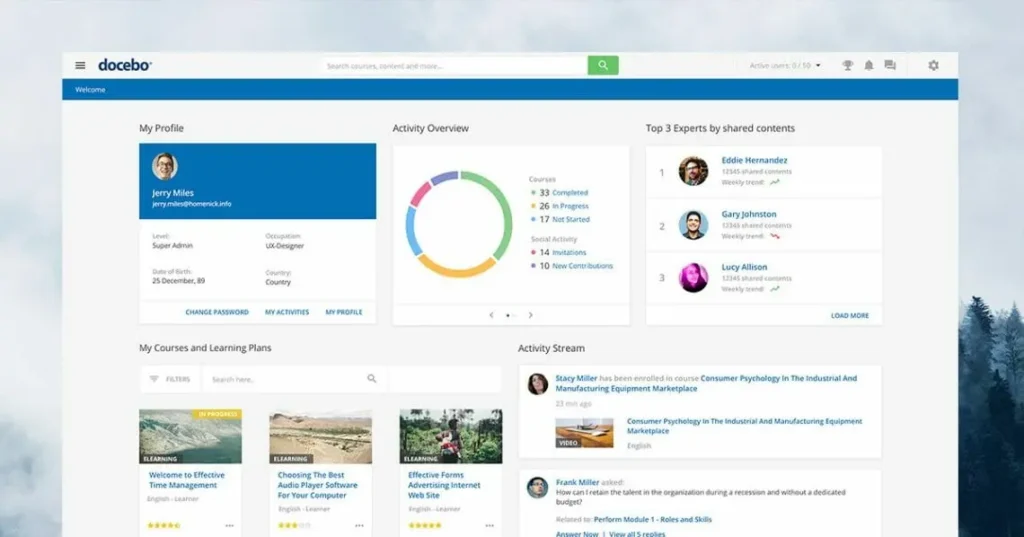
Docebo is a cloud based employee training software designed to deliver scalable, personalized, and engaging learning experiences for employees, partners, and customers.
With its modern AI powered interface, the platform streamlines course creation, automates administrative tasks, and boosts learner engagement across various industries.
Key Features
- AI driven content creation and automation tools
- Integrated eCommerce for selling courses and subscriptions
- Social learning, gamification, and multi-language support
Pros & Cons
| Pros | Cons |
| • Powerful AI automation for content, translation, and learner management • Intuitive modern UI with responsive mobile access • Excellent integrations with CRM, HRIS, and video conferencing tools | • Higher pricing may not be ideal for smaller companies • Feature rich platform can feel complex for new admins • Advanced customization may require vendor or technical support |
8. LearnUpon
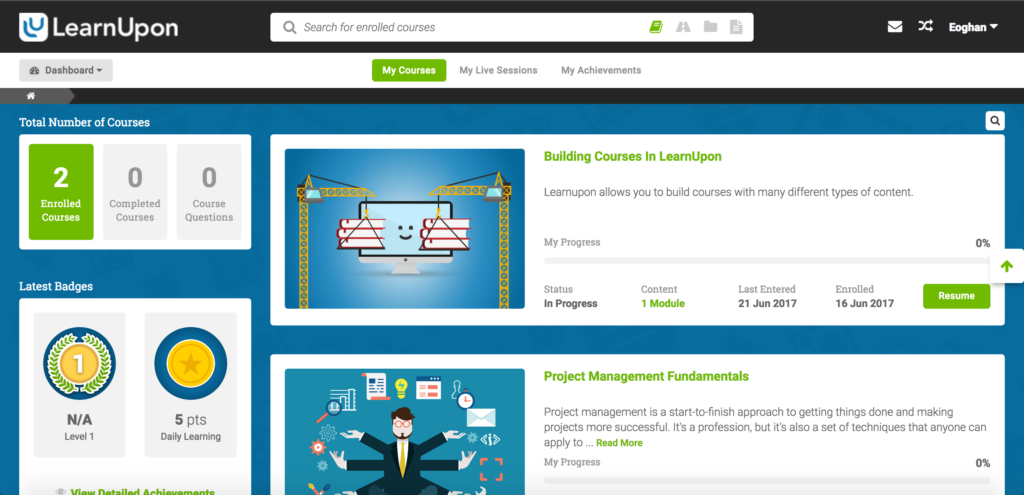
LearnUpon is a versatile and user-friendly employee training software built to help organizations create, deliver, and manage engaging learning programs with ease.
As a scalable cloud based LMS, it offers intuitive design, strong customization options, and smooth learner experiences, making it ideal for businesses looking for efficient, branded, and data driven training delivery.
Key Features
- Course Creation & Management
- Learning Paths
- Content Variety
Pros & Cons
| Pros | Cons |
| • Intuitive interface suitable for all user levels • Flexible learning paths for personalized training journeys • Strong e-commerce capabilities for client or partner training | • Pricing may be high for small or mid sized businesses • Limited advanced multimedia creation tools • Large feature set may introduce a learning curve for new users |
9. Articulate
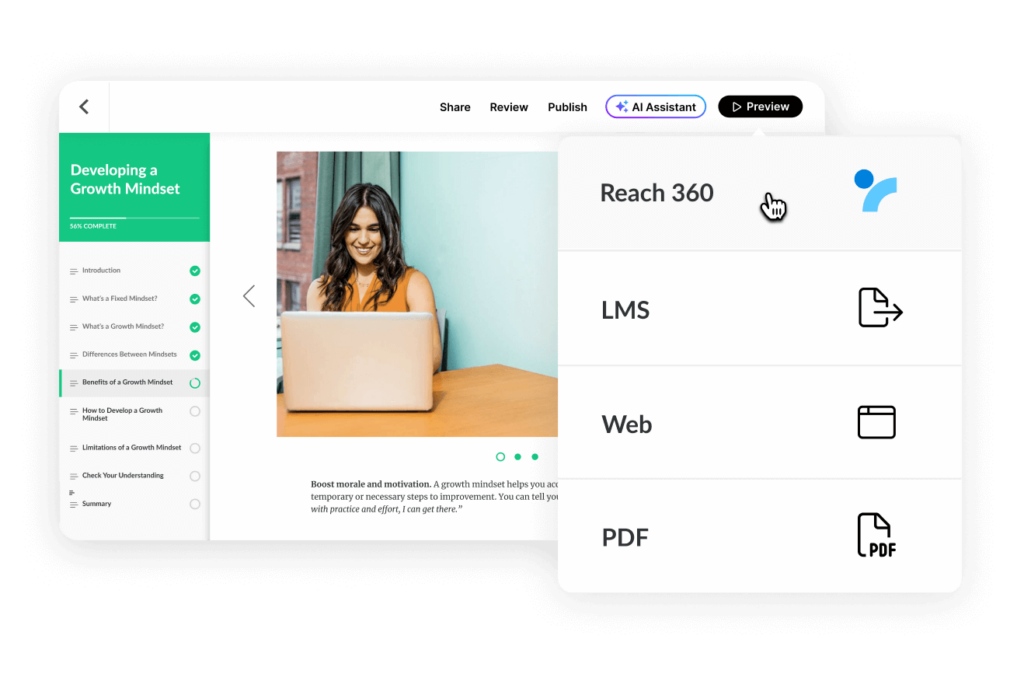
Articulate is one of the most popular employee training software tools for creating highly engaging and interactive e-learning content.
Powered by its flagship product, Articulate Storyline, the platform enables businesses to build immersive courses complete with multimedia, quizzes, and branching scenarios.
Key Features
- Slide-based course creation similar to PowerPoint
- Built-in templates, characters, and media assets
- Interactive quizzes, simulations, and branching scenarios
Pros & Cons
| Pros | Cons |
| • Excellent for building highly interactive training modules • Rich library of ready to use templates and design assets • Supports multilingual content for global audiences | • Not a full LMS, requires integration with external learning platforms • Licensing costs can be high for small teams • Steeper learning curve for users without design experience |
10. Litmos
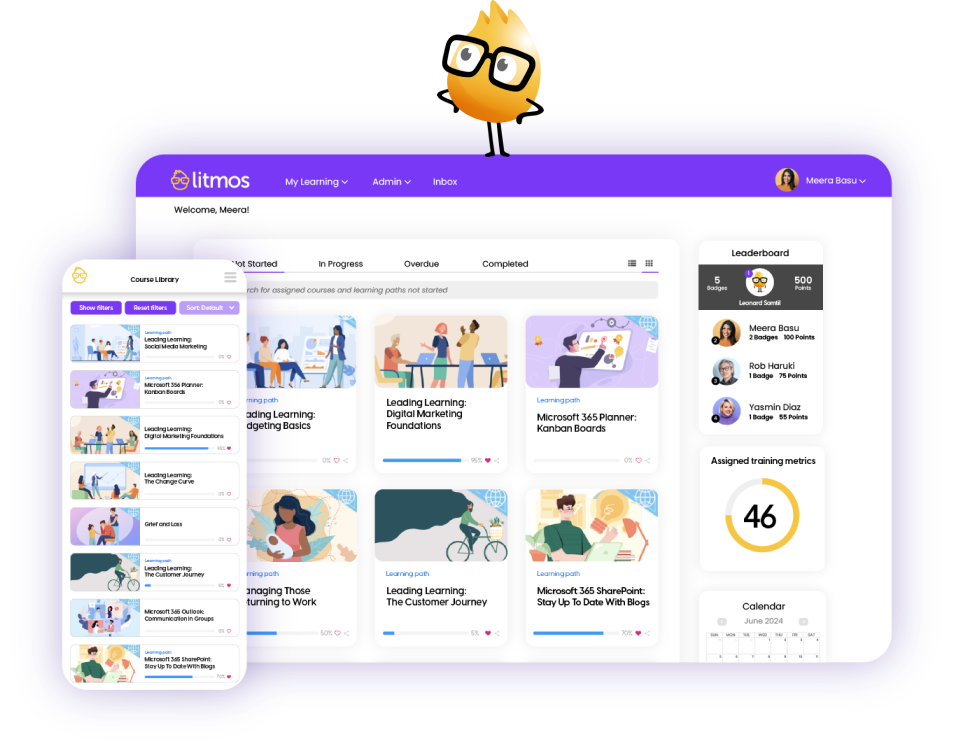
Litmos is a cloud based employee training software designed to simplify corporate learning and extended enterprise training.
Known for its fast setup, intuitive interface, and AI enhanced features, it enables companies to deliver engaging, scalable, and mobile-friendly learning experiences.
Key Features
- Course Creation & Management
- Automation & Onboarding
- Mobile Learning
Pros & Cons
| Pros | Cons |
| • Extremely user friendly with fast implementation • Strong mobile support, including offline learning • AI powered automation for content, assignments, and reporting | • Limited advanced customization for enterprise needs • Pricing may be high for smaller businesses • Minimal community driven and social learning features |
11. Cornerstone
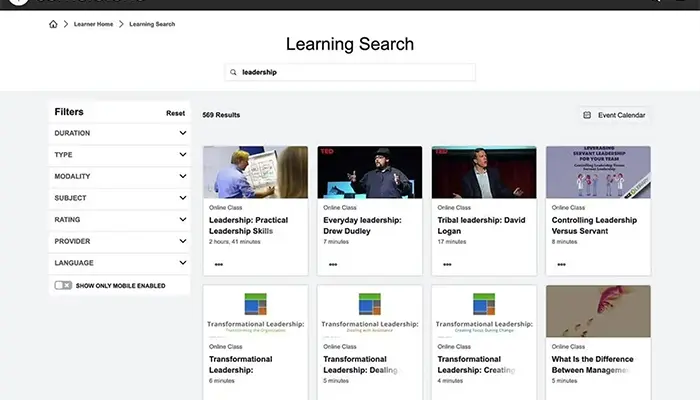
Cornerstone is an enterprise grade employee training software that forms part of the broader Cornerstone OnDemand talent management suite.
Built for large organizations with complex learning and compliance requirements, it offers a robust and scalable platform that integrates learning with performance, succession planning, and career development.
Key Features
- Personalized Learning Paths
- Content Management
- Compliance & Certification Management
Pros & Cons
| Pros | Cons |
| • Highly customizable for complex enterprise learning environments • Strong analytics and reporting for deep performance insights • Seamless integration with broader talent management systems | • Complex setup may require expert assistance • Higher pricing may not suit smaller organizations • Extensive feature set can feel overwhelming for new admins |
12. iSpring Learn
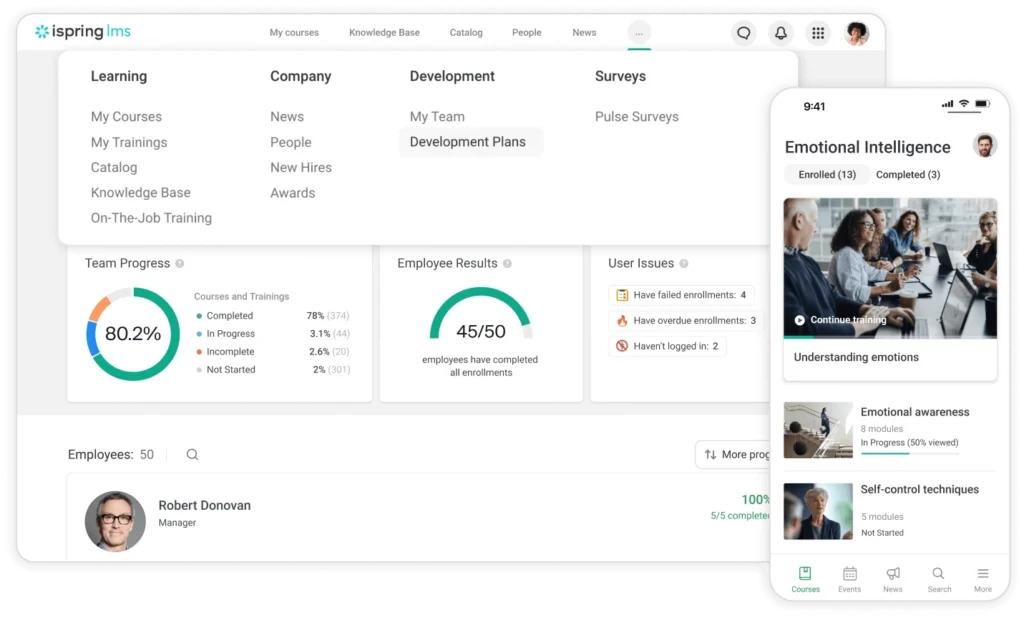
iSpring Learn is a user friendly employee training software built to help organizations quickly create, deliver, and track training programs.
As a cloud based LMS, it prioritizes fast content deployment and smooth learning delivery, making it ideal for small and mid-sized businesses that need a simple, efficient, and scalable training solution.
Key Features
- Content Management
- Course Creation
- Learning Tracks
Pros & Cons
| Pros | Cons |
| • Extremely easy to use for both admins and learners • Fast deployment with seamless PowerPoint to course publishing • Reliable reporting tools for tracking progress and completion rates | • Limited advanced customization compared to enterprise level LMSs • iSpring Suite authoring tool requires a separate purchase • Fewer integrations than larger LMS competitors |
Why LinovHR Is the Best Employee Training Software for Modern Businesses
Choosing the right employee training software can significantly impact how effectively a company develops skills, boosts productivity, and supports long term growth.
LinovHR distinguishes itself by offering a complete, user friendly training system that supports every stage of employee learning and development.
As part of its integrated HRIS ecosystem, the LinovHR Learning Management System (LMS) enables organizations to plan, deliver, and track training programs seamlessly within a single centralized platform.
With advanced features like automated course assignments, real time progress tracking, competency based learning, and in depth analytics, the platform ensures that every training initiative contributes directly to business goals.
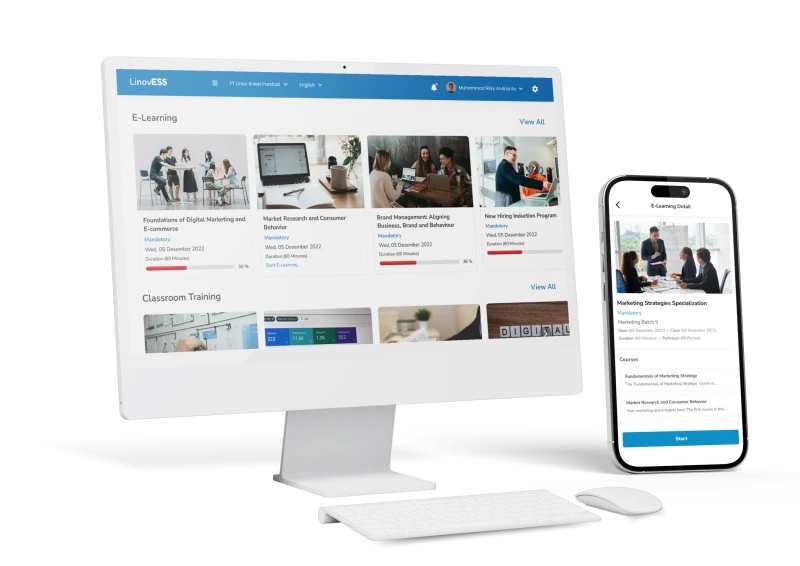
Its adaptability is another key strength, whether a small business focused on onboarding or a large enterprise managing complex compliance and continuous learning, LinovHR provides scalable and customizable training solutions.
The intuitive interface, mobile accessibility, and robust reporting tools also make training management more efficient and engaging for both HR teams and employees.
If your organization is looking for an employee training software that combines flexibility, automation, and measurable results, LinovHR is built to deliver.
Empower your workforce with smarter, more effective learning.Request a free demo today and experience how LinovHR transforms your employee training process.